
Create, Edit, and Optimize Without Leaving Your Dashboard with a WordPress AI Editor

If you’ve ever sat staring at a finished blog post and thought, “It’s good, but it could be great,” you’re not alone.
The problem is, taking a post from “pretty good” to “ready to perform” usually means breaking your focus — bouncing between tabs, tools, and apps until your creative momentum has completely fizzled out.
Copy your text into an SEO tool. Paste it into a grammar checker. Switch back to WordPress. Then maybe open another app to rework your calls to action.
Sound familiar?
It’s the classic WordPress content struggle. Writing is only one part of the puzzle — you also have to edit for clarity, optimize for search engines, and make sure every post moves readers to take action. Doing all of this across a dozen disconnected tools is slow, clunky, and exhausting.
But what if you could do it all without ever leaving the WordPress editor?
Revolutionize Your Content Creation Right Inside WordPress
That’s exactly the idea behind the AI Editor Assistant: an integrated, all-in-one toolkit designed to help you write, refine, and optimize content without breaking your workflow.
This isn’t another standalone app to learn.
It puts all your SEO content tools, editing features, and optimization options directly inside your WordPress dashboard — so you never have to leave the editor.
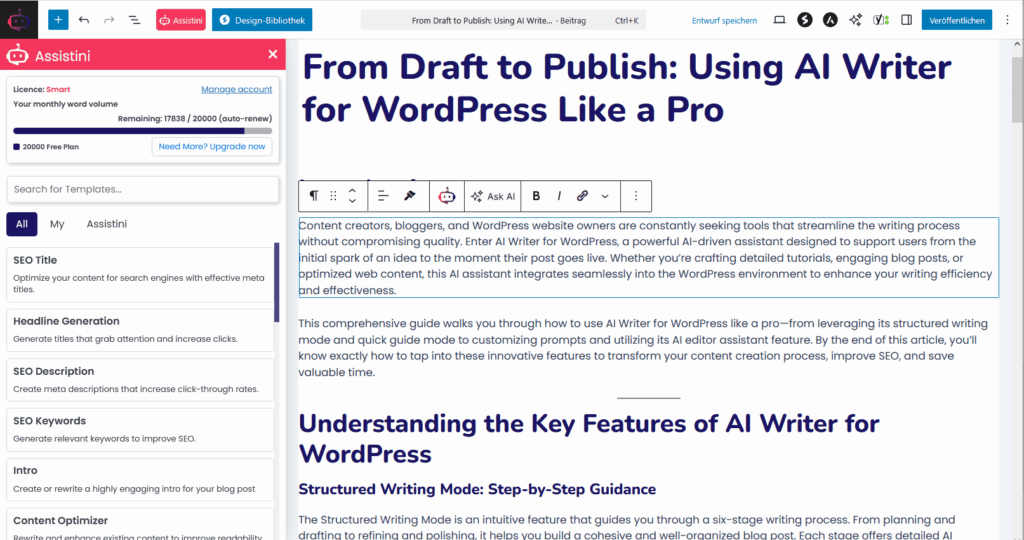
Why Use an AI Editor Inside WordPress?
An integrated WordPress AI editor lets you:
- Write, edit, and optimize in a single place.
- Eliminate copy-paste between different tools.
- Maintain your creative flow from draft to publish.
- Produce SEO-optimized, high-performing content faster.
This isn’t just some extra app you have to open separately — it’s a set of smart, integrated features that help you craft better content faster. They’re targeted tools to make your content sharper, smarter, and more engaging.
Key Features for Every Step of Your Writing Process
The AI Editor Assistant comes with a tool for almost every content challenge you face:
- SEO Title & Description Generator – Craft clickable, search-friendly headlines and meta descriptions to help your content get found (and clicked) on Google.
- Paragraph Rewriter & Expander – Clarify your main points, expand on ideas, or find a more compelling way to say what you mean.
- Content Optimizer – Improve readability and SEO without stripping away your personal voice.
- Call-to-Action Generator – Turn casual readers into subscribers, customers, or leads with persuasive CTAs.
- Content Structuring Tools – Instantly create summaries, FAQs, bullet points, or checklists from dense text to make your post more skimmable.
These aren’t just flashy add-ons — they’re targeted tools to make your content sharper, smarter, and more engaging.
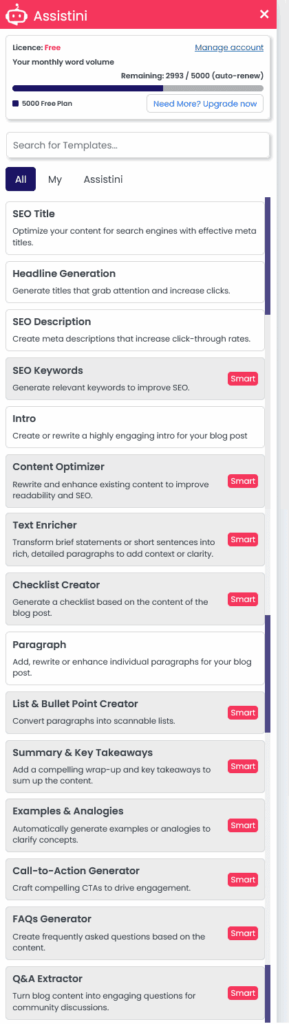
Step-by-Step Guide: Using the Assistini AI Editor Assistant in WordPress
You don’t need to be a tech whiz. Using this AI editor assistant is designed to be super simple and fit right into your flow. The process breaks down into three easy steps:
- Open your post or page in the WordPress editor.
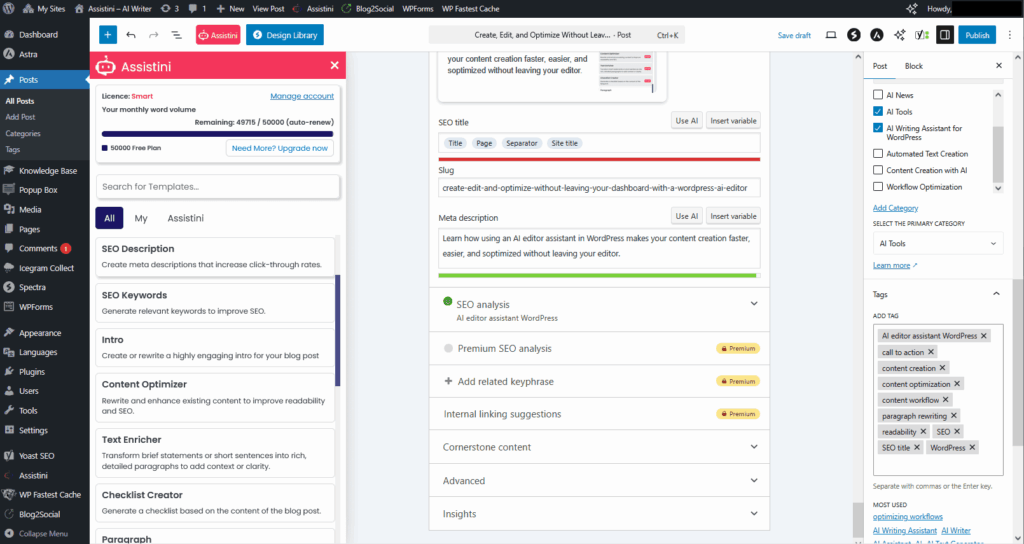
- Click the pink Assistini button in the side menu, or use the quick AI assistant in the editor toolbar.
- The assistant panel will open — ready for you to choose your first tool (e.g., Rewrite Paragraph, Generate SEO Title, Create CTA).

💡 Pro Tip: Provide extra info like keywords, context, or tone preferences before generating — this ensures the AI’s suggestions are perfectly relevant to your content and aligned with your goals.
You’re always in control — the AI is there to assist, not take over. It generates starting points based on what you told it and what you’re working on, but you decide how the final text reads.
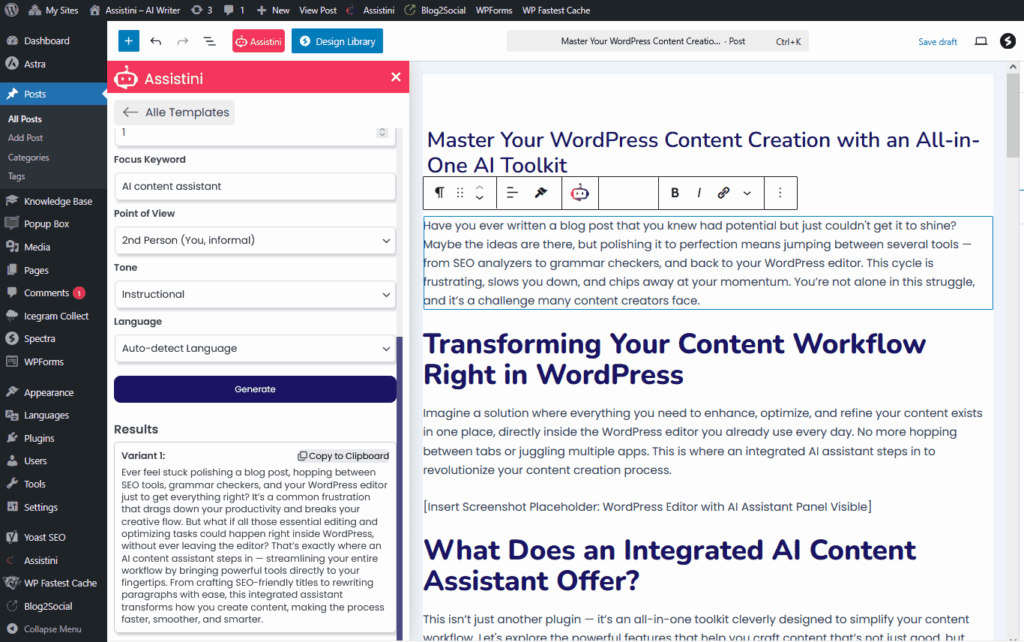
Beyond New Posts: Refresh and Repurpose Your Existing Content
The benefits of Assistini don’t end with creating fresh content. The AI editor assitant great tool for updating your archive to give your older posts a thorough overhaul. Update them to meet current SEO standards, enhance clarity and readability, or even reshape them for a different audience altogether. This helps your WordPress content library stay relevant and keep driving results.
Or, use it to give a last check and tweak on posts that you have just created with Assistini’s Structured Writing tools or with your own custom prompts. Add a checklist, a call to action, an faq list or a summary and take-away.
Examples:
Create a summary to add to the excerpt field of the Gutenberg block editor:
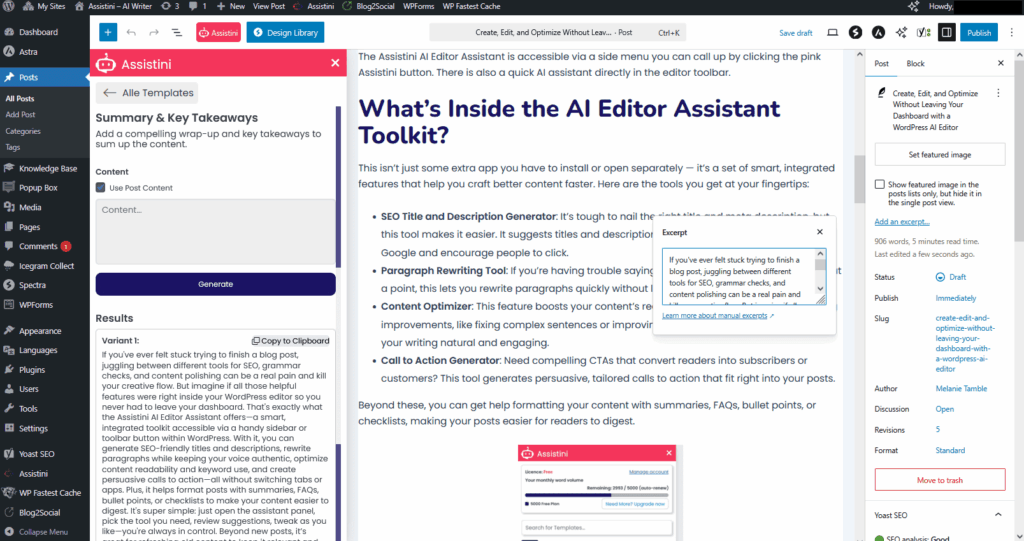
Create a persuasive call-to-action for driving conversions:

Publish SEO optimized and high-performing content
Once your post is ready:
- Double-check your SEO title, meta description, and keyword placement.
- Check readability and ensure your content easy to read and understand.
- Hit Publish knowing your content is ready to perform.
Why This Workflow Is a Game-Changer
The thing that really stands out? You never have to leave WordPress once you start creating. Everything you need — optimizing for SEO, fine-tuning your writing, adding calls to action — happens in one place, seamlessly. No tab-switching means better focus, faster work, and higher-quality results.
Who Benefits from the Assistini AI Editor?
No matter what type of content creator you are, an AI editor assistant in WordPress offers massive advantages:
- If you’re a blogger, you can crank out better posts more easily.
- If marketing’s your game, you’ll love the clearer, conversion-focused messaging.
- SEO pros get a reliable partner to boost your rankings without compromising the natural tone.
- Business owners can produce polished, optimized content without needing a full writing team.
The goal isn’t just to write more but to write smarter — sharper, more optimized, and ready to perform from the moment you hit publish.
Imagine What Fully Optimized Posts Can Do for You
Envision this: every post you publish is completely finished, optimized, and primed to perform at its best. That means better search engine traffic, more reader engagement, and higher conversions — all without added effort or complex workflows.
By using an AI editor assistant built right into WordPress, you can turn that vision into your everyday reality.
Start making your content work harder for you. Keep your creative flow, get better results, and do it all in the familiar WordPress editor with a little help from AI.
Ready to streamline your content creation workflow?
Try the Assistini AI Editor Assistant today and watch your posts shine with optimized SEO and engaging CTAs—all in one place!
Get started: Download now and transform your content in minutes

Melanie Tamblé ist Mitgründerin und geschäftsführende Gesellschafterin der Adenion GmbH, seit 2000 ein Pionier in Business Software Solutions. Als Expertin für Online Marketing und Digital Business führt sie nun die Integration von KI in digitale Workflows an. Mit dem Assistini KI Portfolio für Unternehmen bietet die Adenion smarte Tools für KI-Wissensdatenbanken, smarte Entscheidungsprozesse, Compliance Audits und Content Creators.