
Turn Text into Tunes -Create Podcasts with AI in WordPress
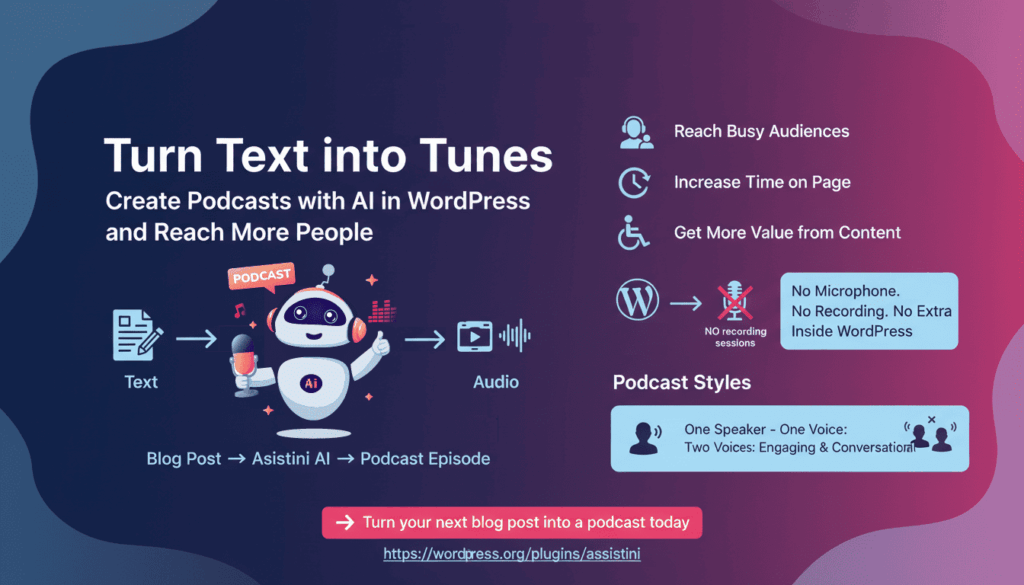
Not everyone reads blog posts, but many people love listening to podcasts. By offering an audio version of your blog posts, you meet your audience where they already are—without creating new content from scratch. With AI, you can turn your existing WordPress blog posts into podcasts in just a few clicks. No microphone. No recording sessions. No extra tools.
Why Turning Blog Posts into Podcasts Pays Off
Adding audio to your blog is not a technical upgrade—it’s a strategic one. Here’s what you gain in practice.
Reach People Who Don’t Read
Many people simply don’t have the time (or habit) to read long articles. Modern readers are short on time, but long on multitasking. Most visitors simply skim your blog and vanish. Others never start reading at all. The problem isn’t quality—it’s format. Many people prefer listening while commuting, exercising, cooking, or working. Audio versions bridge that gap. By offering an audio version of your blog posts, you meet your audience where they already are and keep them on your site longer.
A podcast version lets people consume your content hands-free, whether they’re on the go or multitasking.
Why Audio Makes Your Content Go Further
Adding a podcast version to your blog posts helps you:
- Reach busy audiences who prefer listening over reading
- Increase time on page with embedded audio
- Improve accessibility for different reading preferences
- Get more value from content you already published
Instead of creating more content, you simply change the format.
Increase Time on Page (Without Extra Content)
When readers hit play, they stay longer. Embedded audio naturally increases dwell time and engagement—without adding more text or visuals.
Make Your Content More Accessible
Audio versions improve accessibility for people with visual impairments, reading difficulties, or fatigue. You’re not just optimizing for SEO—you’re making your content easier to consume for everyone.
Get More Value from Content You Already Have
Instead of constantly producing new posts, you can reuse what’s already published. One article becomes:
- A blog post
- A podcast episode
- An embeddable audio asset
Same content. More impact.
With Assistini, you can now turn existing WordPress blog posts into podcasts in minutes and make every article work harder and longer for you.
How Podcast Creation Fits Into a Real WordPress Workflow
Creating podcasts often sounds complicated—recording gear, editing software, and hosting platforms. Assistini removes that complexity by keeping everything inside WordPress.
You don’t need:
- A microphone
- Recording sessions
- Audio editing tools
You start with what you already have: your blog post.
From Blog Post to Podcast — Right Inside WordPress
Turn a blog post into a podcast in minutes. The process of turning text into audio is intentionally simple and practical, and fits seamlessly into your workflow:
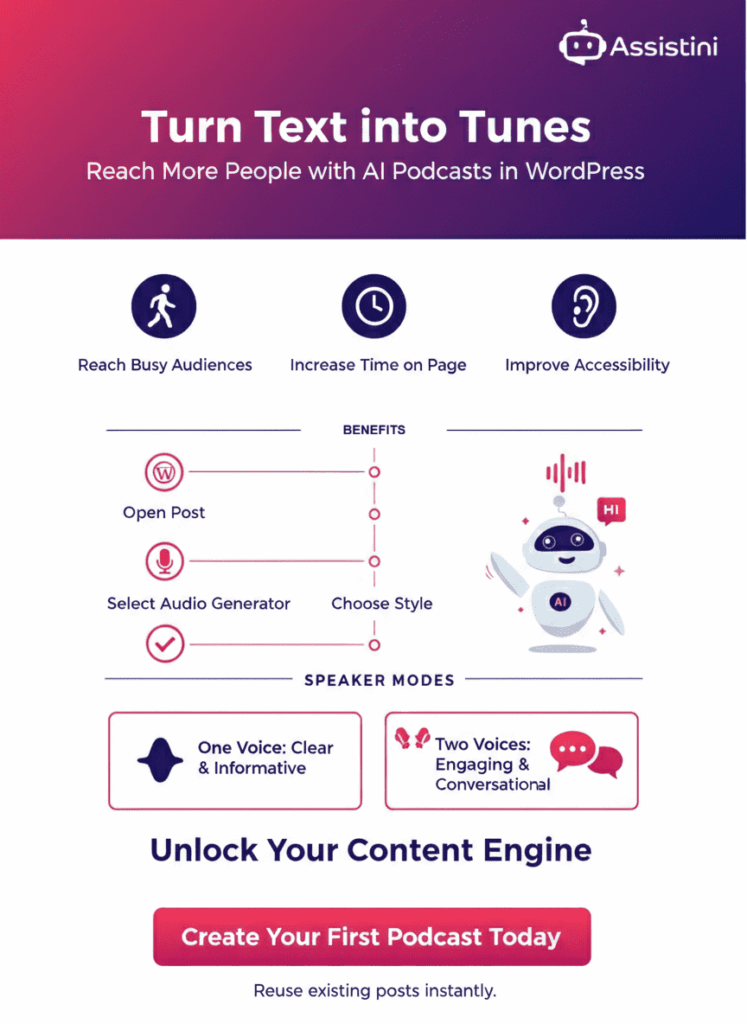
- Open your blog post in WordPress
- Click the Assistini icon in the editor toolbar
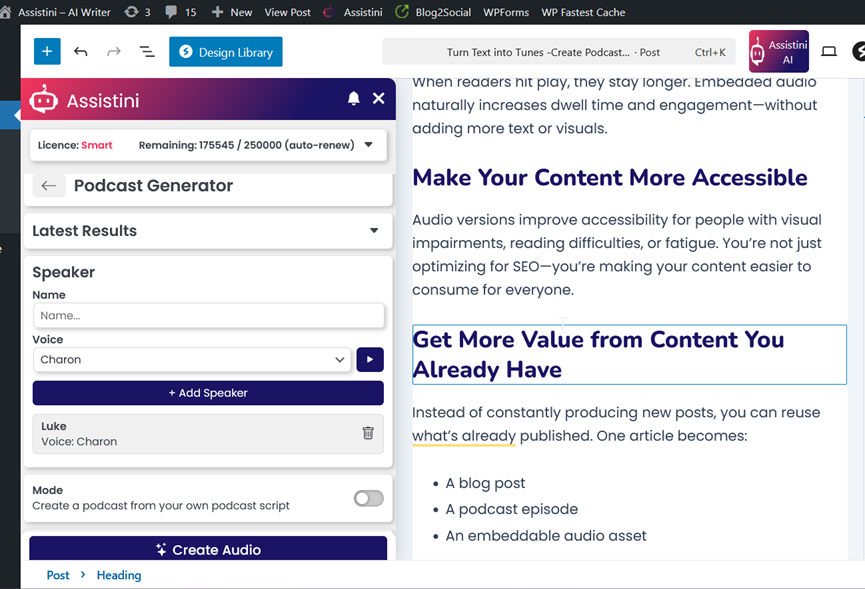
- Select Audio → Podcast Generator
- Create your podcast — done
Assistini uses your post as the foundation and turns it into a natural-sounding audio version—ready to publish.
Choose the Right Podcast Style for Your Content
Not every article should sound the same. That’s why Assistini lets you decide how your podcast feels—not just how it’s generated.
Not every article should sound the same. That’s why you stay in control.
Speaker Mode:
You can name speakers, select voices, and shape the tone to match your brand.
🎙 One Speaker – One Voice: Clear and Informative
A single narrator works well when you want to:
- Explain a topic clearly
- Share tutorials or guides
- Deliver focused expertise
It’s ideal for evergreen content and educational posts.
Example:
🎙🎙 Two Speakers – Two Voices: More Engaging and Conversational
Turn your article into a conversational discussion that feels more dynamic and engaging. For longer or more complex topics, a dialogue format can make a big difference.
With two speakers:
- Key points are discussed naturally
- Complex ideas feel easier to follow
- Listening feels less like “reading aloud”
This format works especially well for opinion pieces, explainers, and thought leadership content.
Example:
Content Mode and AI Instructions
If you choose the mode “Create the conversation from content“, the AI automatically creates a podcast based on your content. However, you can add additional content and your own instructions to steer the speakers into a specific direction, such as what the AI speaker(s) should focus on in this podcast.
Example prompts:
- Focus on a specific source (“Only discuss the chart on age distribution on social media.”)
- Focus on a specific topic (“Discuss only the topic about security.”)
- Address a specific target audience (“Address advanced social media marketers“ or “Explain it in a way that someone who doesn’t know anything about AI can understand.”)
Match the Audio to Your Brand Voice
Your podcast should sound like you—not like a generic voiceover.
You can easily adjust:
- Tone (professional, conversational, enthusiastic)
- Point of view (neutral explainer, expert perspective, discussion-style)
- Language (to match your audience or expand internationally)
These small choices have a big impact on how trustworthy and engaging the audio feels.
Go International Easily
Expanding your blog’s reach beyond language barriers is easier than ever. By transforming your WordPress posts into natural-sounding audio in any language, you can connect with a truly global audience without extra recording or editing effort. This seamless integration lets you adapt your content for listeners worldwide, making it simple to share your ideas across cultures and markets.
Adapt Your Podcast for Listeners (Not Just Readers)
Written content and audio content don’t always work the same way—and that’s okay.
Assistini allows you to add extra instructions or context to your podcast:
- Starts with a short spoken introduction
- Highlights key sections more clearly
- Includes updates or clarifications not yet in the article
This helps your audio feel intentional and listener-friendly, not like a raw text-to-speech export.
Publish and Reuse Your Podcast Instantly
Once your podcast is generated, you decide how to use it:
- Download the audio file
- Save it directly to your WordPress media library
Saving it in WordPress makes it easy to:
- Embed the audio player into your blog post
- Reuse the file on landing pages
- Build a growing audio archive from existing content
No extra platforms required.
Why This Approach Scales
AI-powered podcast creation removes the usual bottlenecks:
- No recording schedules
- No editing delays
- No technical setup
That means you can:
- Add audio to older evergreen posts
- Turn new articles into podcasts immediately
- Build a consistent audio presence over time
All without changing how you already write.
Turn Your Blog Into a Content Engine
Turning blog posts into podcasts isn’t about chasing trends. It’s about making your content work harder, last longer, and reach more people.
With Assistini, audio becomes a natural extension of your WordPress workflow—not a separate project. You write once, publish smarter, and give your audience more ways to engage with your ideas.
👉 Turn your next blog post into a podcast today

Melanie Tamblé ist Mitgründerin und geschäftsführende Gesellschafterin der Adenion GmbH, seit 2000 ein Pionier in Business Software Solutions. Als Expertin für Online Marketing und Digital Business führt sie nun die Integration von KI in digitale Workflows an. Mit dem Assistini KI Portfolio für Unternehmen bietet die Adenion smarte Tools für KI-Wissensdatenbanken, smarte Entscheidungsprozesse, Compliance Audits und Content Creators.