
Can I connect Assistini to my own AI provider (like OpenAI or others)?
Assistini includes a seamless OpenAI integration, letting you start creating content instantly—no setup required.
Prefer another AI provider? You can easily connect your own.
How do I add my own AI provider?
In the Assistini settings, you can add your own OpenAI API key. Simply enable the use my own connection option.
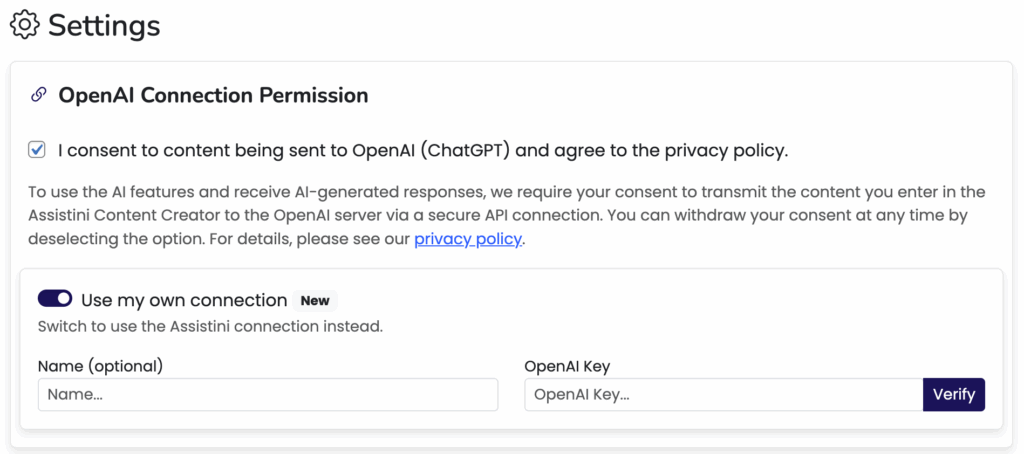
After entering your OpenAI API key, click Verify. If it’s correct, you’ll see a confirmation message saying your key is valid.
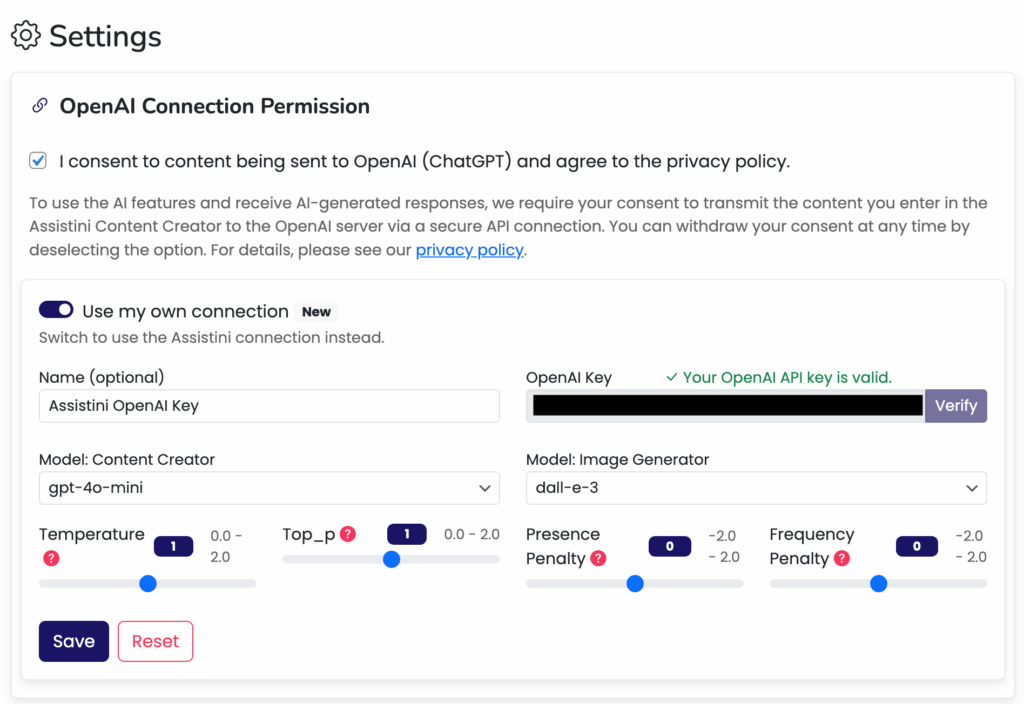
Now, you can choose which AI models you want to use:
Content Creator (e.g., gpt-4o-mini) for text generation.
Image Generator (e.g., dall-e-3) for creating images.
Just click on Save to apply your changes.
What do the sliders control?
- Temperature: Controls creativity (higher = more creative, lower = more focused).
- Top_p: Adjusts the randomness of outputs by controlling probability distribution.
- Presence Penalty: Reduces repetition by encouraging new topics.
- Frequency Penalty: Reduces repeated words or phrases.
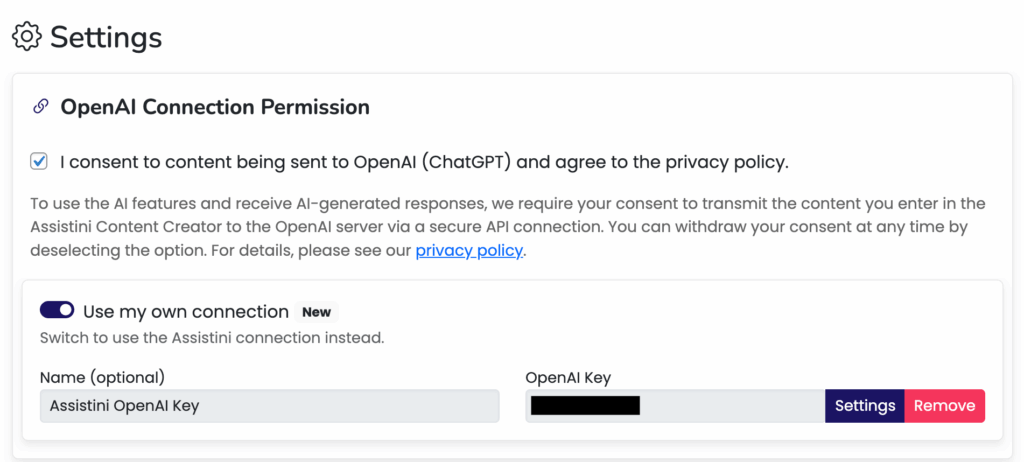
Click Settings to make adjustments. To stop using your own API key, select Remove to delete it.
Soon, we’ll release support for connecting other API keys as well. You’ll be able to integrate with providers like Anthropic, LLaMA, Grok, and others—giving you full control over which models and services you use.